
AI Insights report
The AI Agent Insights report is a one‑click way to get a higher‑level, written summary of how your AI Agent is used over a period of time.
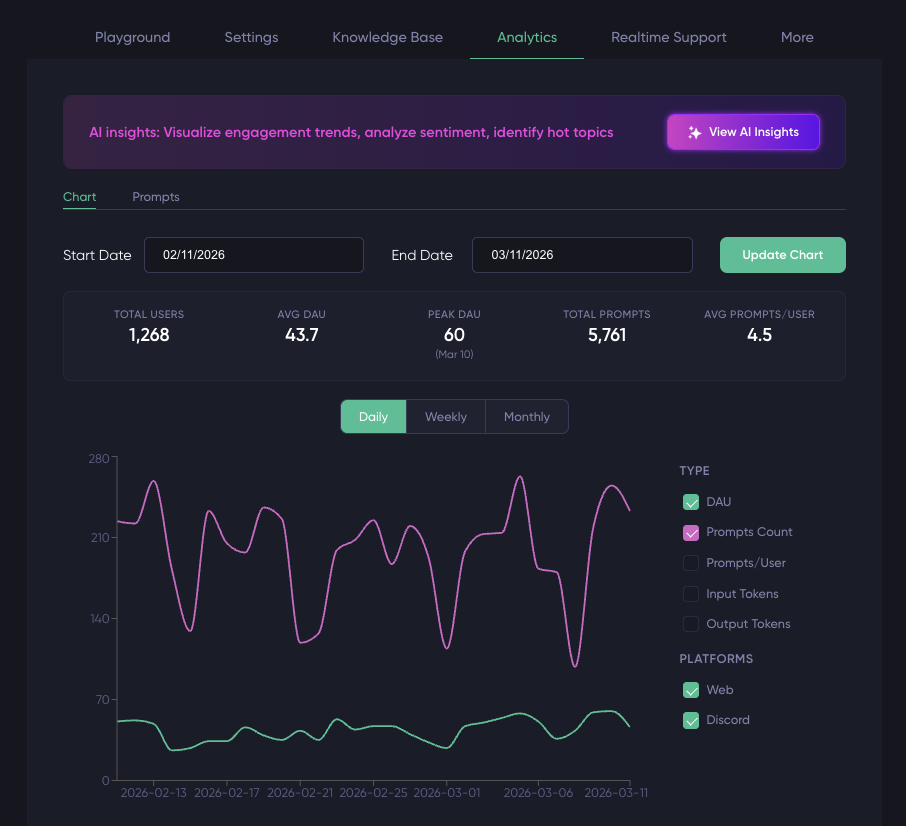
You open it from the View AI Insights button in the Stats tab
You can find an example of the AI Insights report in the demo website, click on View AI Insights.
1 What the report looks at
When you generate an AI Insights report, it analyzes:
- The prompts users sent to the AI Agent in the selected date range.
- How often and how intensely people engaged (volume of prompts, activity over time).
- The tone of those prompts (user sentiment).
- The main topics and themes that keep coming up.
Behind the scenes, the system samples or batches prompts from that window (depending on configuration) and runs a dedicated analysis pipeline to build the report.
2 What you get in the report
The report itself is a structured, human‑readable document, typically including:
- Usage summary
- A short narrative of how active the AI Agent was in the period (how many prompts were analyzed vs. total, whether usage is concentrated or spread out).
- Engagement and trends
- A usage chart and stats section that highlight whether usage is growing, stable, or dropping, and how engagement differs across the period.
- User sentiment
- A breakdown of positive, neutral, and negative prompts, with a visual sentiment chart, so you can quickly see if conversations are mostly constructive or frustrated.
- Hot topics and recurring questions
- A “hot topics” section and word cloud that surface the ideas, keywords, and issues that show up most often, helping you see what people really care about.
- Actionable insights
- Narrative bullets or paragraphs that call out patterns (for example, common failure modes, documentation gaps, or product areas driving most questions), so you know where to focus improvements.
You can skim the headings to get a quick sense of how the AI Agent is doing, or read the full text to understand the “why” behind the metrics in the Stats tab.
3 Exporting and sharing
From the AI Insights modal you can:
- Download a PDF of the report for a clean, shareable snapshot that includes charts, sentiment visuals, and word cloud images.
- Print a print‑optimized version if you need a physical copy for reviews or meetings.
Updated 3 months ago